Upload recordings from Guardian
You can locate the recordings from The Guardian on the SD card inside The Guardian box.
Note:
- All Satellite Guardian recordings will be stored on the SD card.
- GSM Guardian recordings will be stored on the SD card only when it is offline.
To upload the recordings from The Guardian, follow these steps:
-
Retrieve the SD card from the Guardian box and connect it to your computer
-
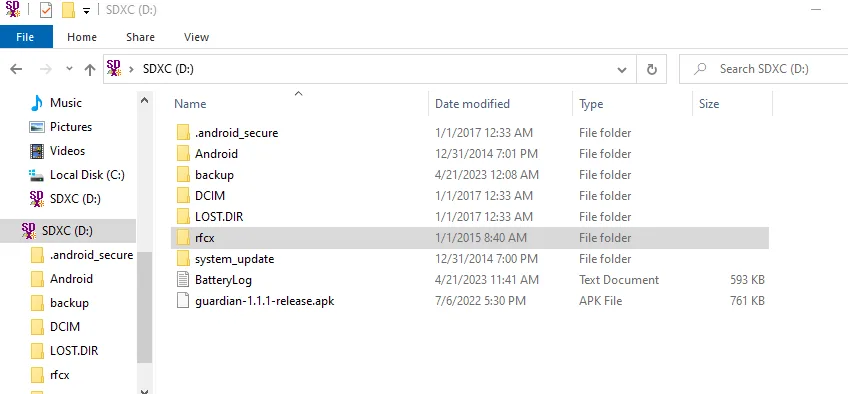
Open the SD card folder and look for the folder named "rfcx"
\
-
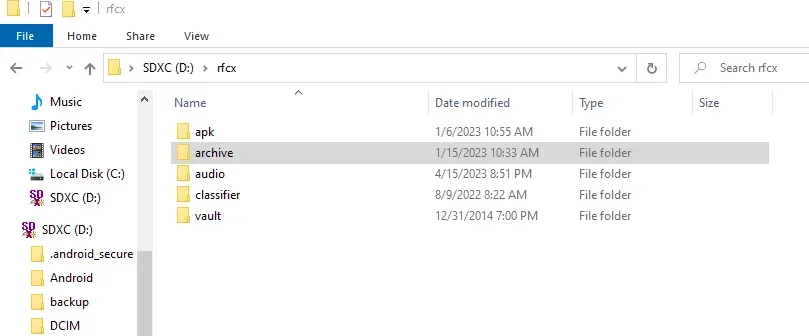
Open "rfcx" folder and select folder "archive".
\
-
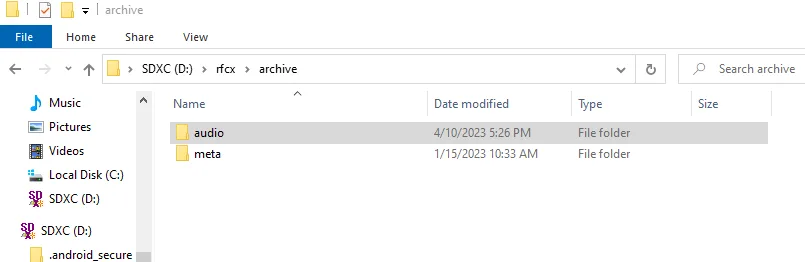
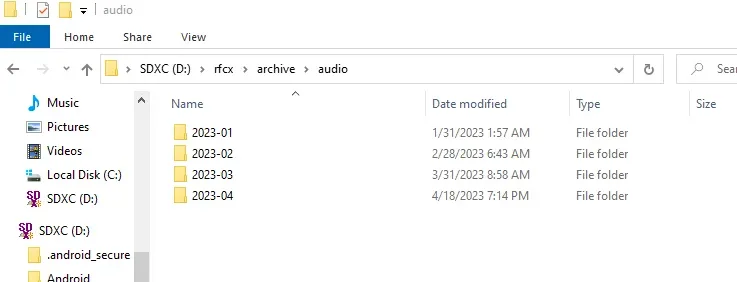
Then select "audio" folder. Within the "audio" folder, you will discover folders organized by months and years.
\
\ \
-
Choose the folder and proceed to untar/extract them. The untar/extracted files will be in the Opus file format.
\
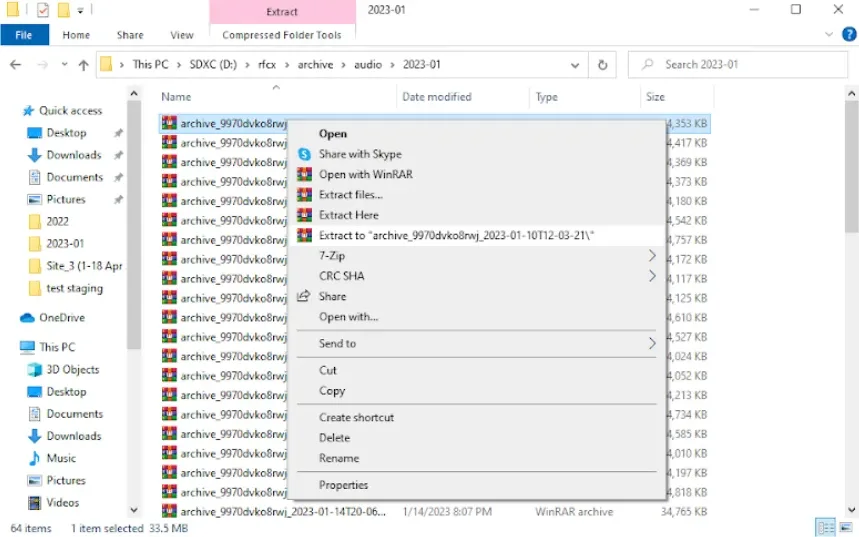
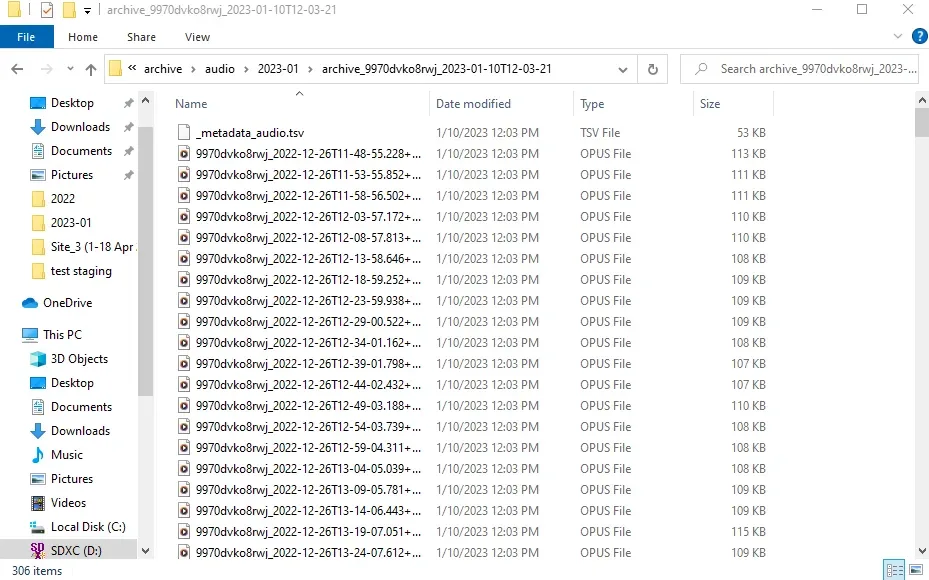
Suggestions:
- Press Ctrl+A to select all files before extracting them, enabling you to extract multiple files simultaneously
-
Use 'Extract to' so that the extracted files will be in the same folder as the original
-
Upload the Opus files with the Arbimon Uploader app. Learn more about Arbimon Uploader app.