Uploading Files with Custom Filenames
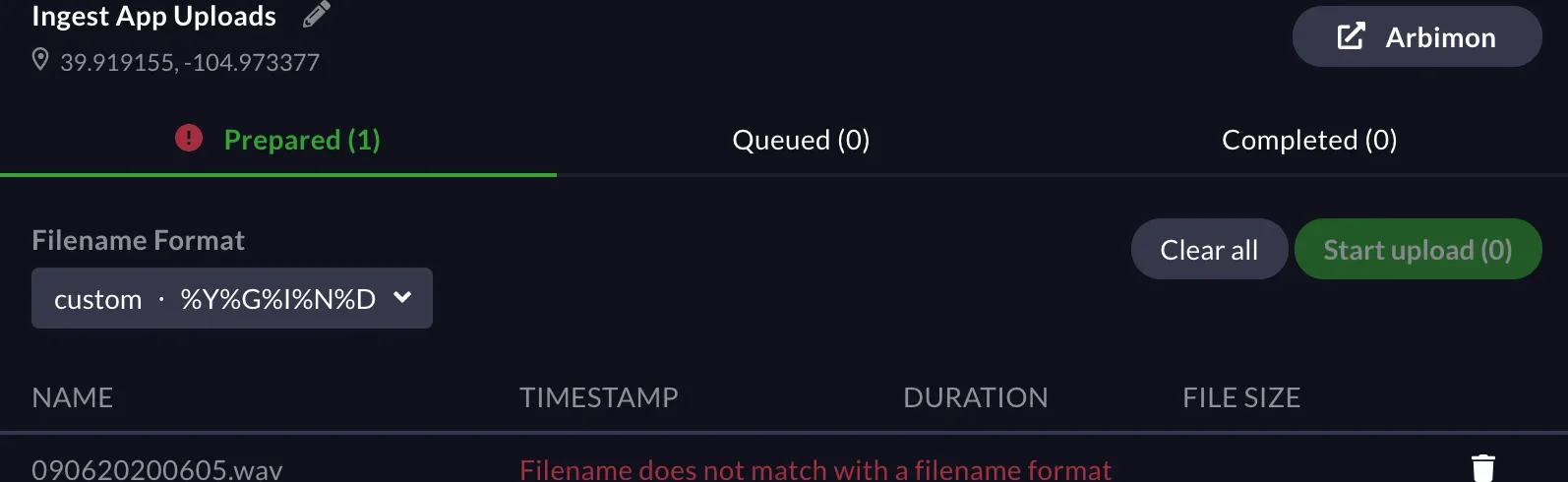
If you have a specific custom filename scheme for your recordings that does not correspond to filename formats of Audiomoth, Swift, and SongMeter. Here is an example:


-
Follow the steps in the Using the Arbimon Uploader page until you get to step #6 and have to set the Filename Format.
-
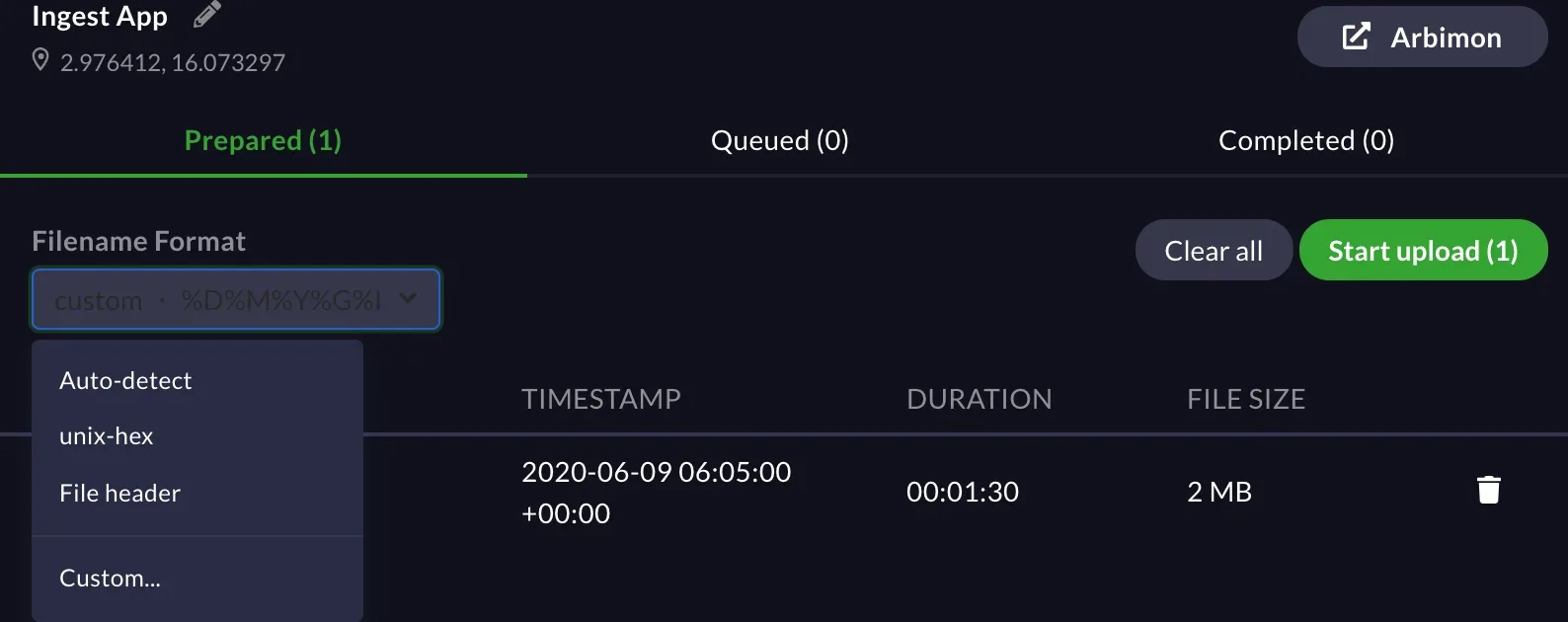
In the Filename Format dropdown, click ‘Custom.’
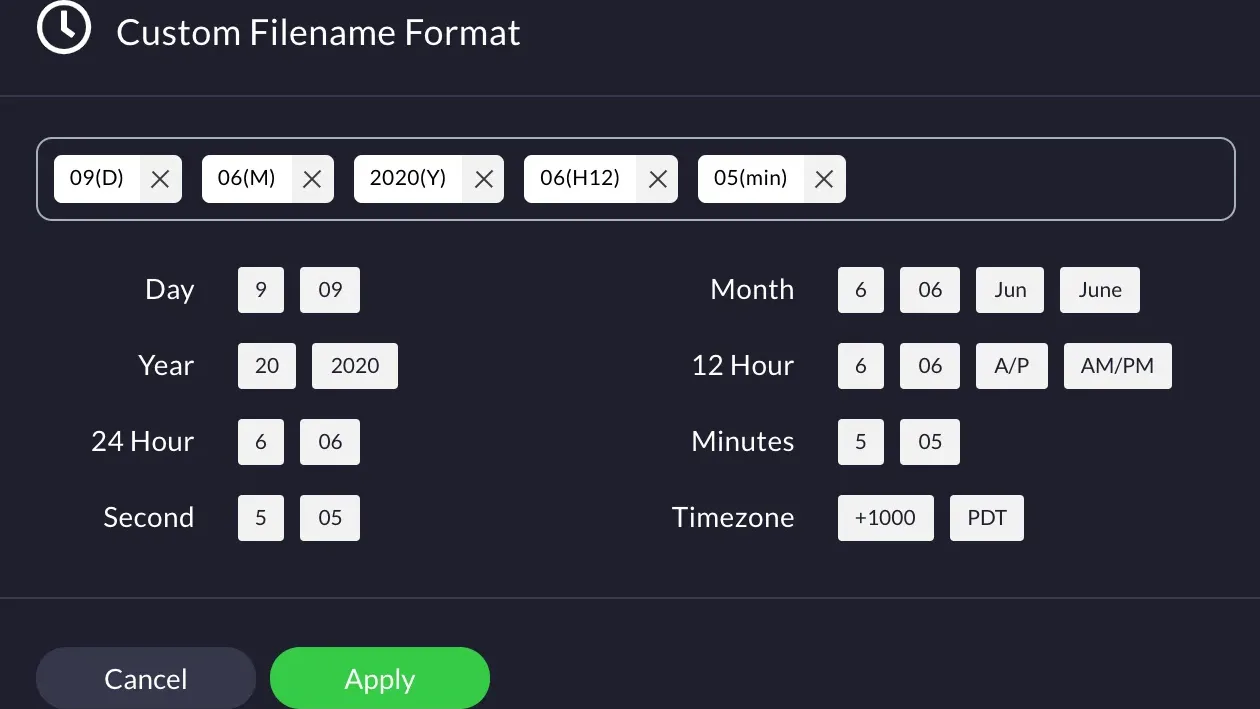
- Select the different date and time options in the order that your filename is formatted in.
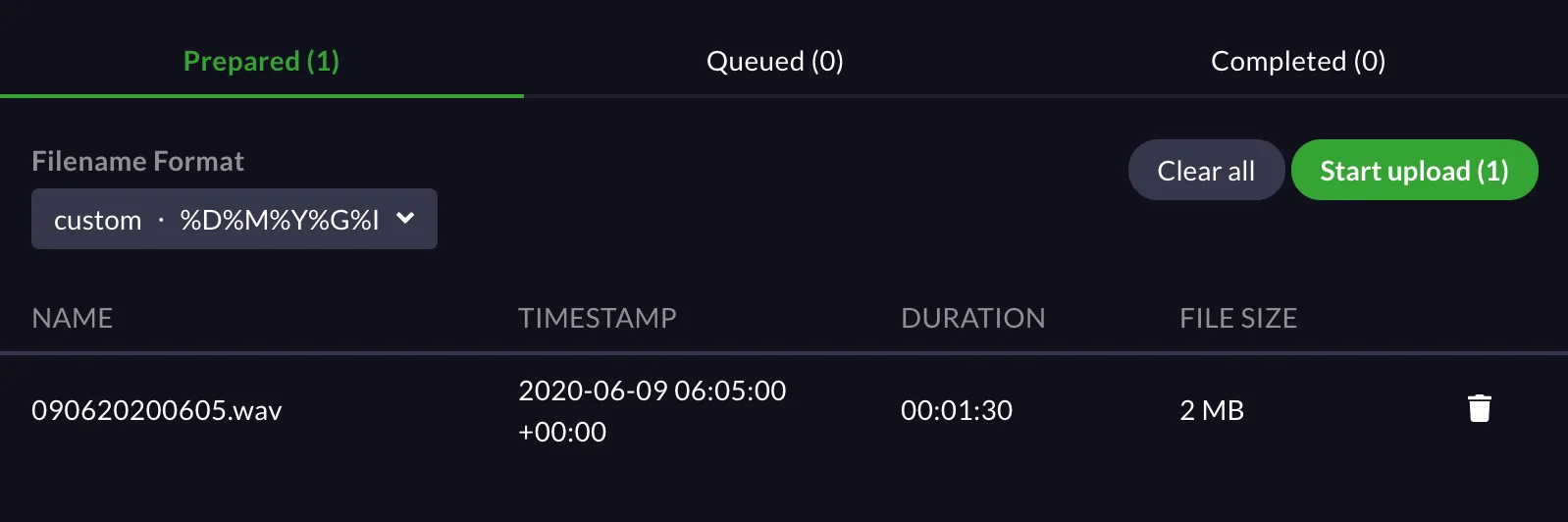
- Once the desired format has been applied, make sure the filename only contains numbers.
- If the filename does not match the custom settings exactly, the below error will appear.